


Yashica T3 battery compartment cover broken? The quick, lasting solution (without tape)
The Yashica T3 (and T3 Super / Kyocera T Scope) is a solid compact camera from the 90s – except for one small weak spot: the latch of the battery compartment cover. When the small plastic tab breaks off, owners often resort to tape to keep the 2CR5 battery in place. This guide shows you a simple 5-minute replacement that fixes the problem permanently and even looks better thanks to the leather-texture finish.
What you need
- Flat screwdriver – about 3 mm or smaller works best.
- Small pliers or clamp (or scissors) to remove and press back the retaining pin.
- The replacement battery compartment cover (fits Yashica T3 / T3 Super / Kyocera T Scope).
- Optional: a clean, well-lit workspace and a small dish for the tiny plastic part.
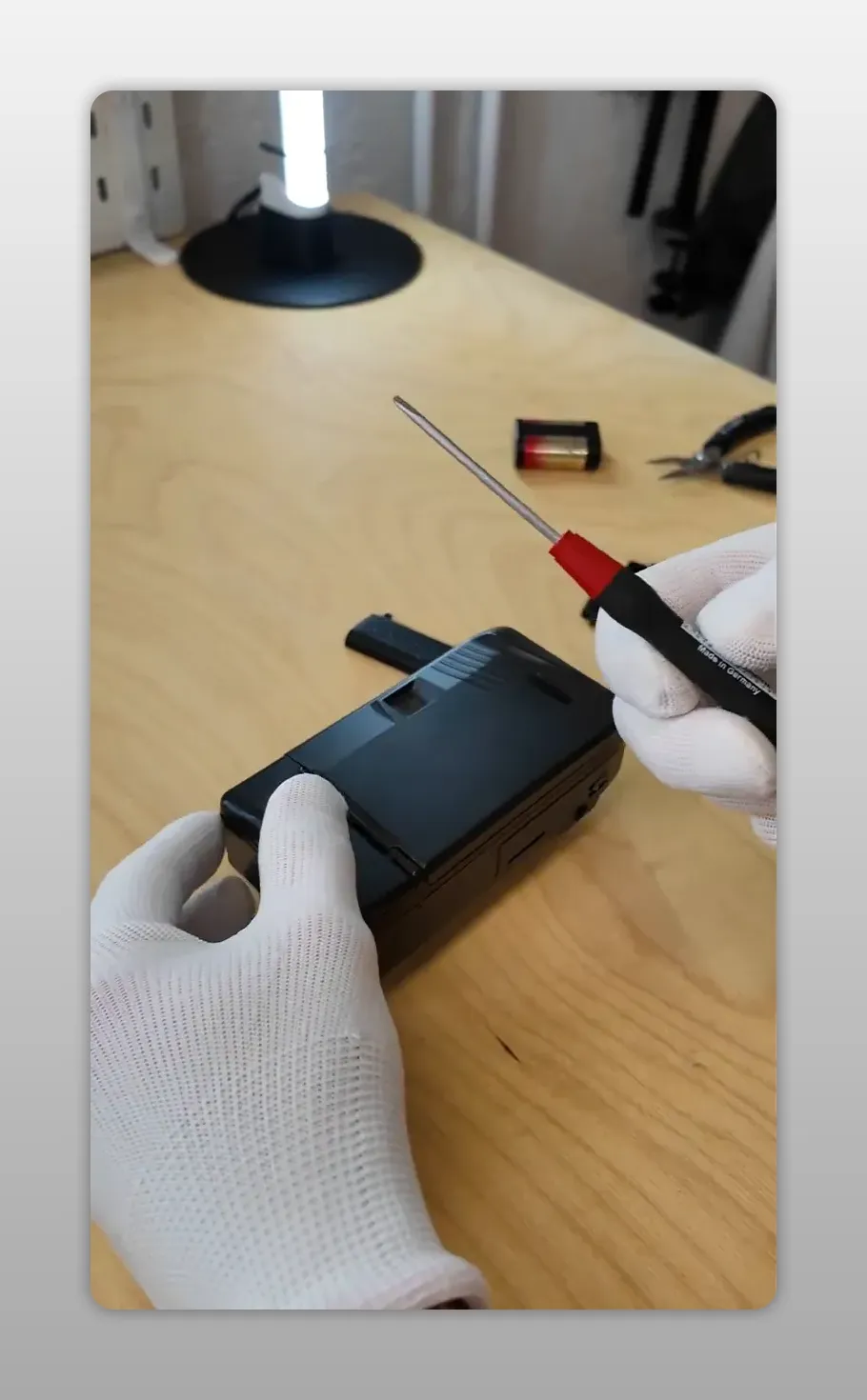
Step 1: Inspect the battery compartment
Open the battery compartment and check which part is broken. The most common defect is the small plastic latch that keeps the flap closed. The surrounding plastic may look welded or firmly connected – but it’s not. With some patience, you can loosen this cover and access the retaining pin underneath.
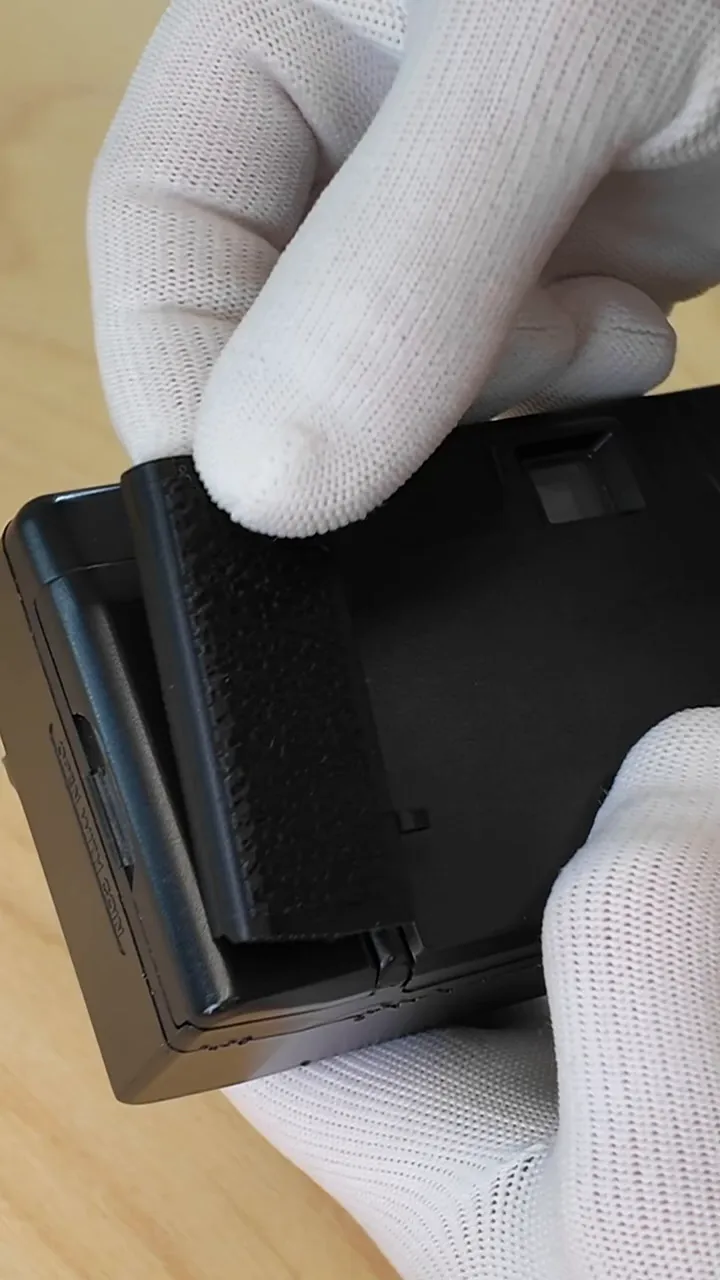
Step 2: Loosen the small plastic cover and expose the pin
- Use your flat screwdriver and gently lift under the plastic cover next to the hinge. Apply some force and it will come loose and fall out – it’s not really welded.
- Once it’s removed, you’ll see the thin pin holding the flap in place.
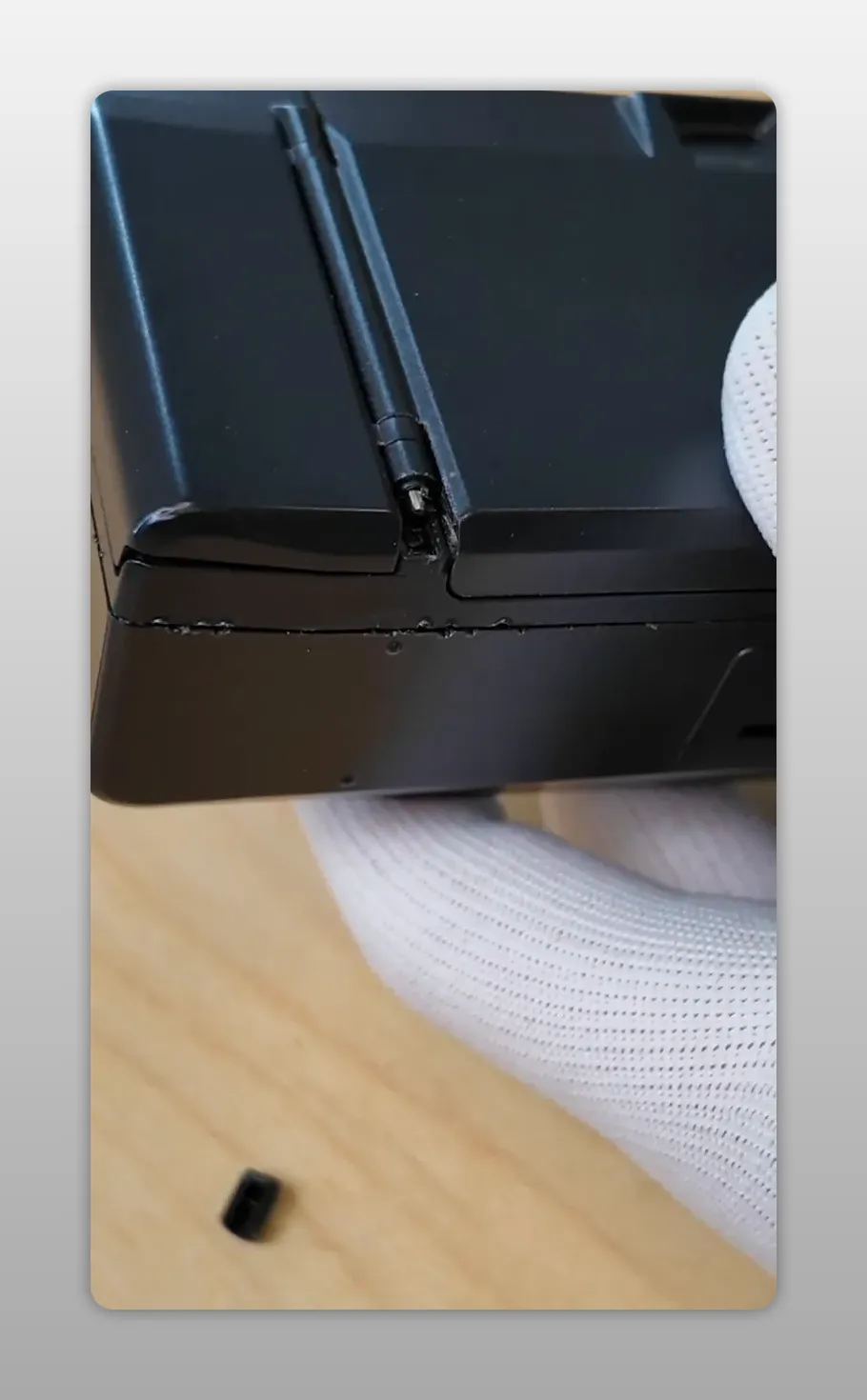
Step 3: Remove the pin and take out the defective flap
- Use the small pliers or clamp to grab and pull out the pin. Sometimes it slides out easily, sometimes it takes a bit of shaking – patience is key.
- Keep the pin and the small plastic cover safe – don’t lose them.
- Once the pin is removed, you can take the defective flap out of the hinge.
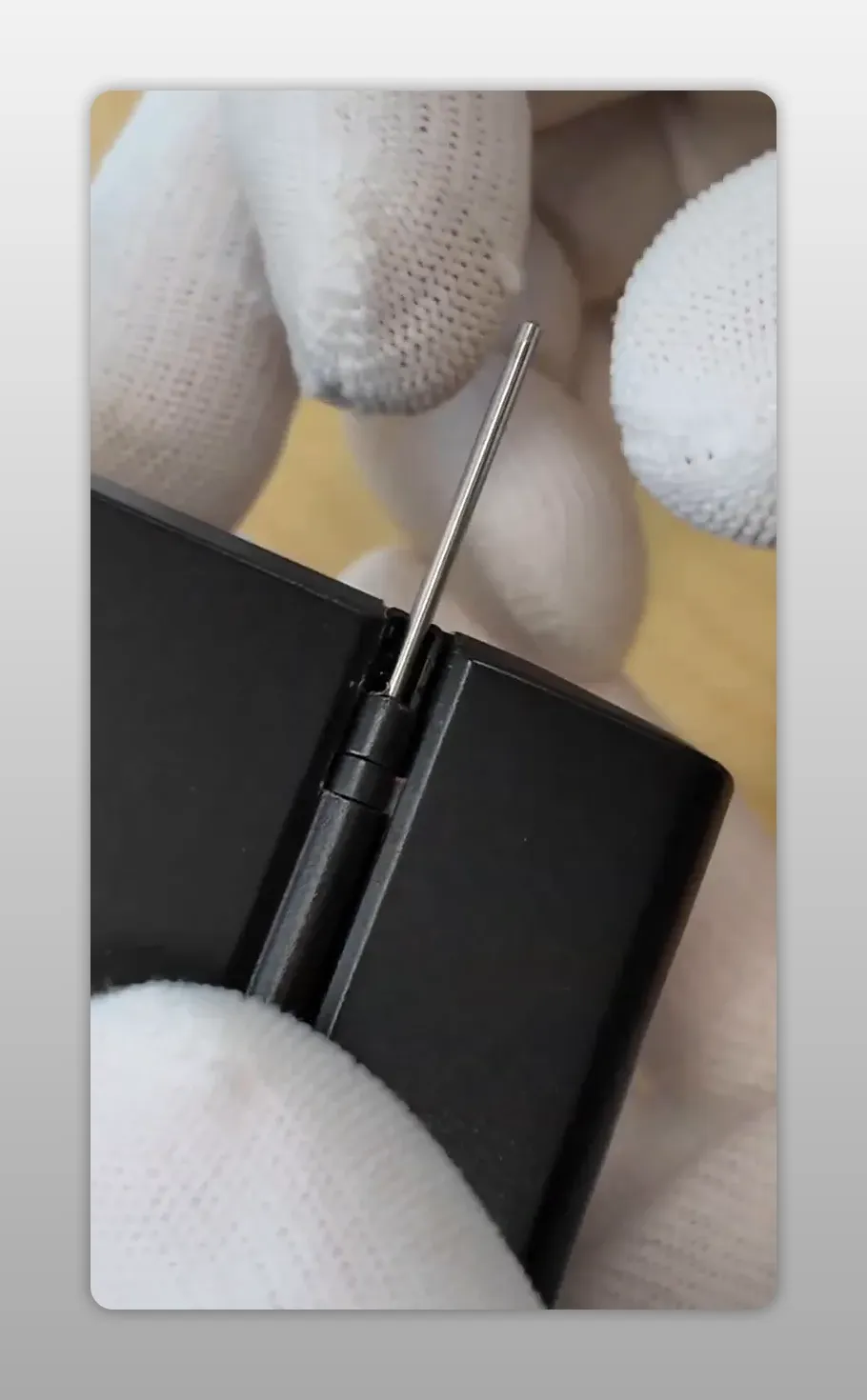
Step 4: Insert the new flap and reassemble
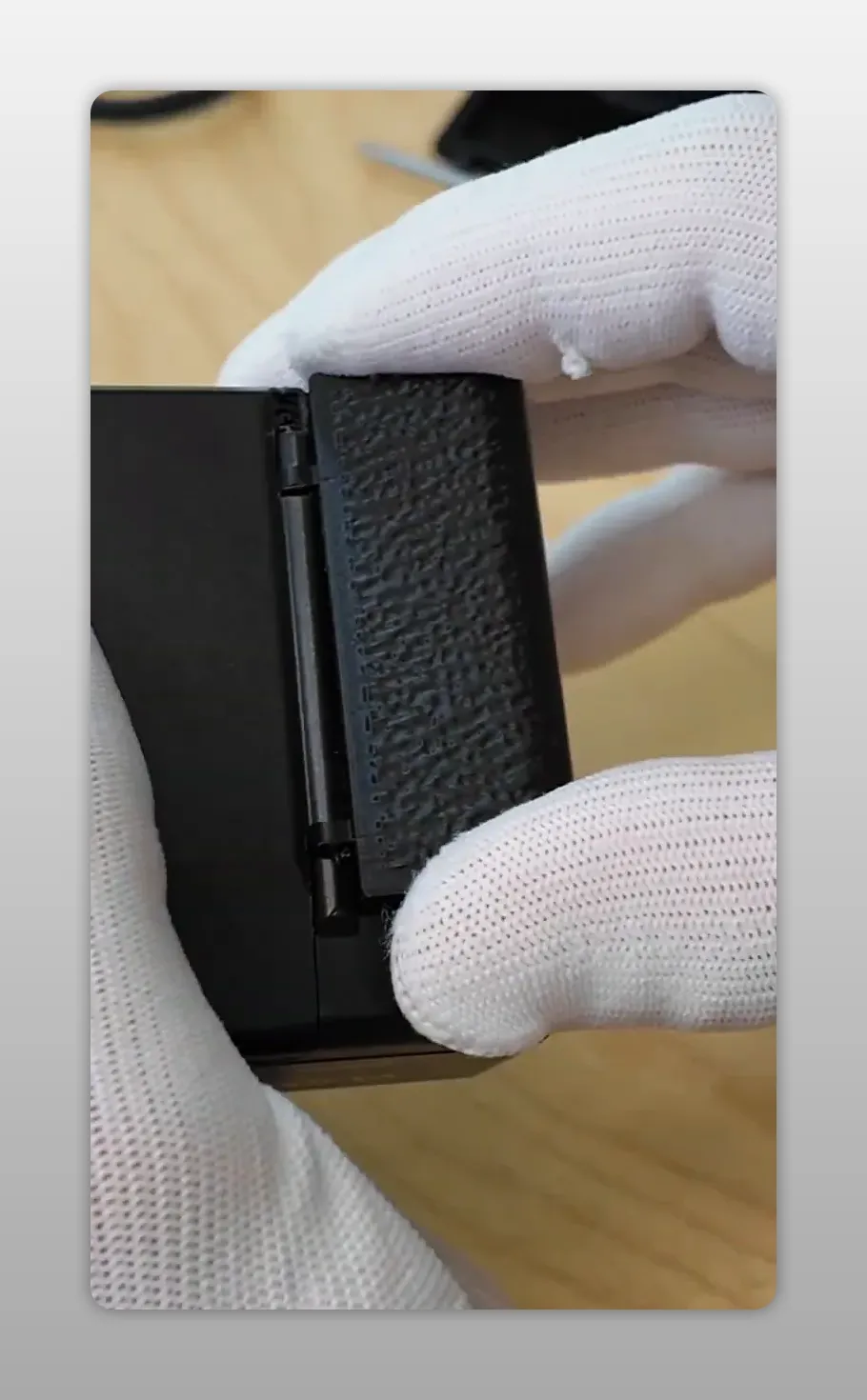
- Insert the replacement cover into the hinge. It may feel a bit fiddly if the new part has a glossy finish – align it carefully and press it into place.
- Slide the retaining pin back through the hinge and the new cover. Use pliers to gently press the pin all the way in.
- Reattach the small plastic cover by clicking it back into position.
Step 5: Test the flap and insert the battery
- Open and close the flap a few times. The new flap should snap firmly and require some force to open – that’s good: it means the battery stays secure even without tape.
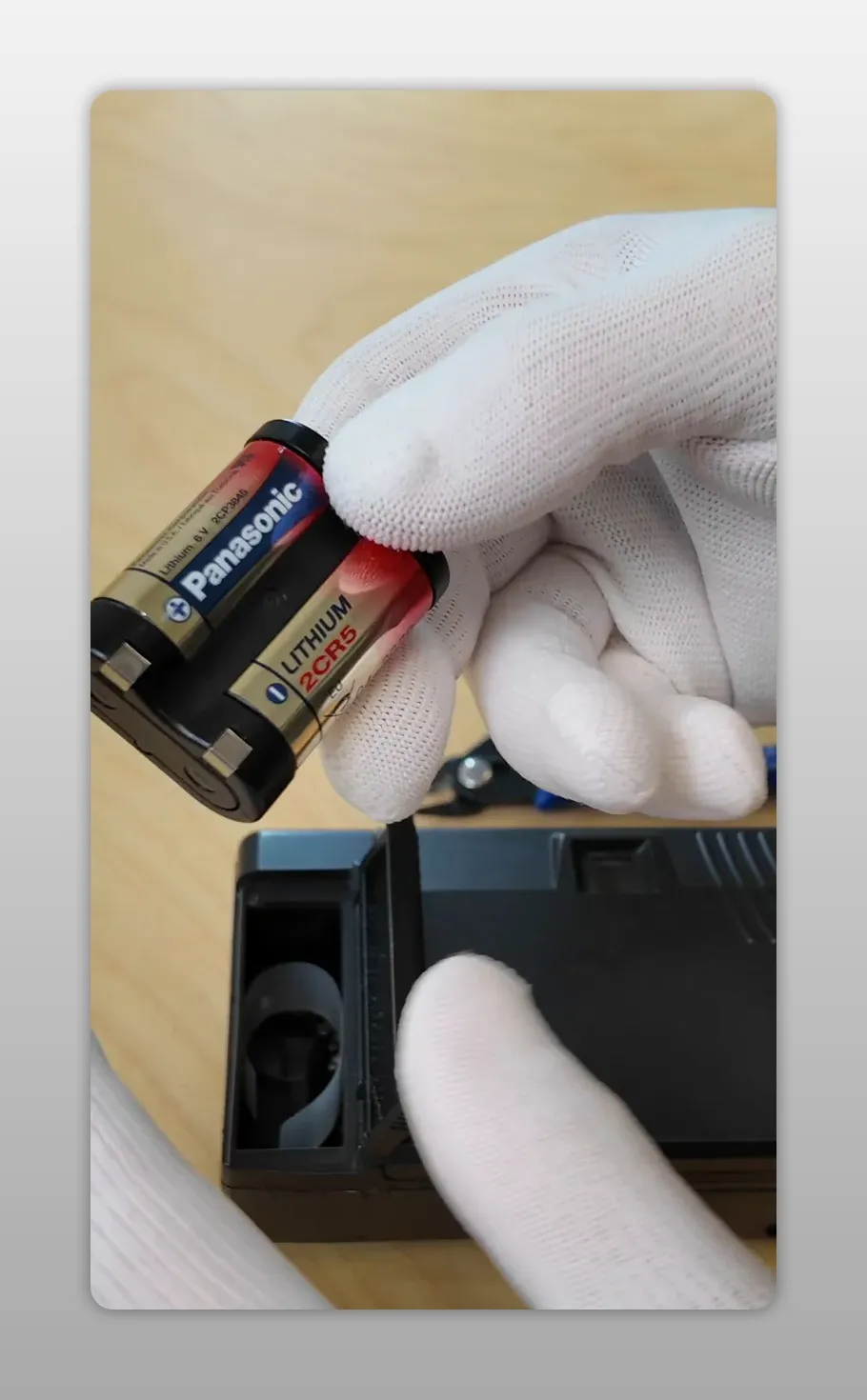
- The battery type is 2CR5 (lithium). These are widely available but often restricted for shipping; it’s best to buy them locally if needed.
Important notes and tips
- Sealing: The replacement cover does not include the original rubber gasket. This means the camera is no longer splash-proof after the replacement. Given the age of the original seals, it’s sensible to keep the camera dry anyway.
- Secure small parts: Place the pin and plastic cover in a small dish during the rebuild to avoid losing them.
- Tools: A smaller flat screwdriver (under 3 mm) makes prying easier and reduces the risk of scratching the camera.
- Time: The whole job takes about five minutes if parts and tools are ready.
Compatibility
- Yashica T3
- Yashica T3 Super
- Kyocera T Scope
Conclusion
Replacing the brittle battery compartment cover on a Yashica T3 is a quick, inexpensive repair that restores functionality and avoids the ugly and unreliable duct tape solution. The replacement part is sturdy, looks good, and keeps your camera ready to use – just remember that the original splash protection is not restored.
Do you have questions or have you encountered problems during the replacement? Leave a comment or ask for help – the repair is straightforward, but a second pair of hands and a quiet workspace make it even easier.